

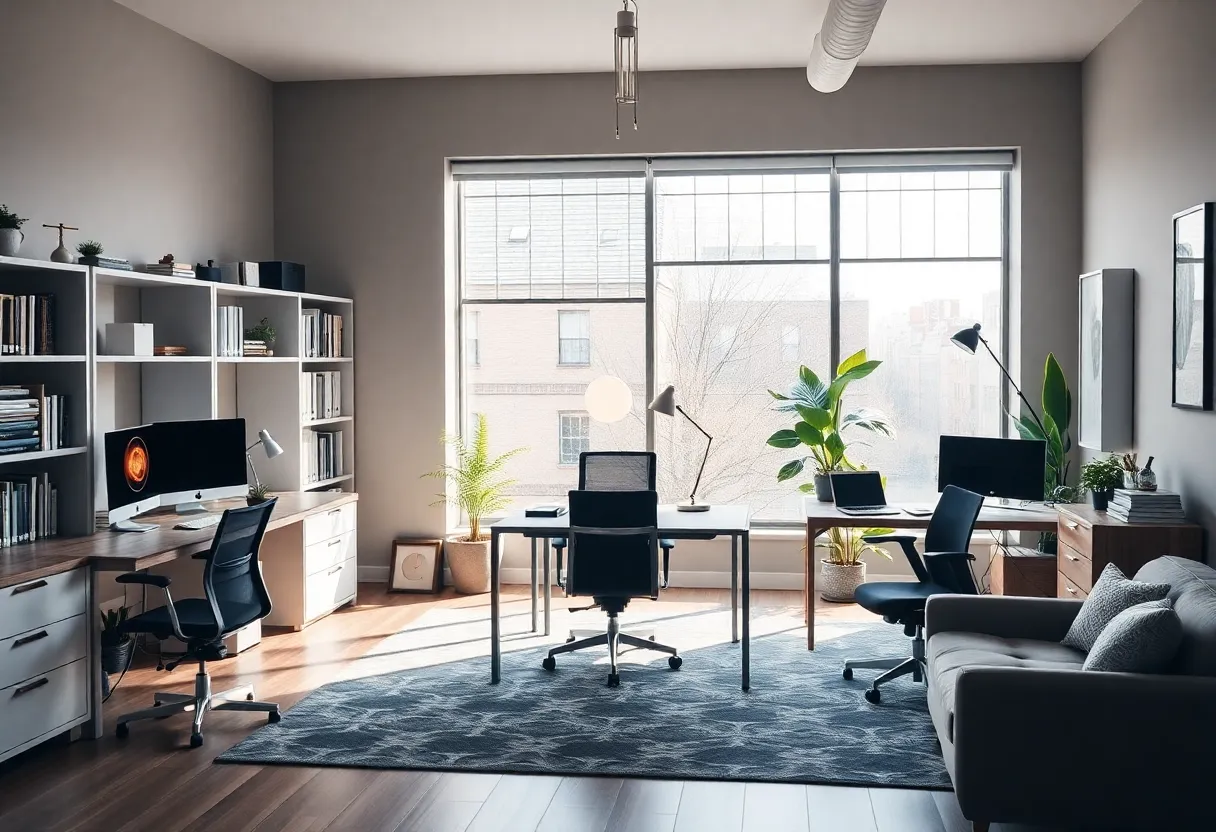
What Are the Key Considerations for Designing a Functional Home Office Space?
Creating a functional home office requires strategic planning and precise execution. As more professionals embrace remote work, the importance of an efficient and comfortable workspace increases. An effective design enhances productivity, supports wellbeing, and integrates seamlessly into daily routines.
Prioritize Ergonomics for Health and Comfort
Ergonomic Furniture
The cornerstone of a productive home office is ergonomic furniture. An adjustable desk that accommodates various postures minimizes strain. Pair this with an ergonomic chair featuring lumbar support to reduce back pain.
Supporting Proper Posture is crucial. The setup should promote an upright sitting position, preventing musculoskeletal issues.
Monitor Placement
The monitor should be positioned at eye level, approximately 20 inches from the face. This reduces neck strain and encourages proper alignment.
Keyboard and Mouse should be within comfortable reach, allowing elbows to stay close to the body to prevent shoulder tension.
Maximize Space Efficiency
Layout and Organization
A well-organized layout prevents clutter and enhances workflow. Use vertical storage like shelves and wall-mounted units to free up desk space.
Insert multi-purpose furniture, such as desks with built-in drawers or foldable surfaces, to adapt to different needs and devices.
Zoning
Designate specific zones for work, meetings, and breaks. Clear separation fosters focus and minimizes distractions.
Position necessary equipment within arm’s reach to streamline daily tasks and increase efficiency.
Optimize Lighting for Productivity and Wellbeing
Natural Light
Natural light significantly impacts mood and alertness. Position your workspace near a window, ensuring light is diffuse to prevent glare.
Use sheer curtains or blinds to control sunlight intensity as needed.
Artificial Lighting
Effective layering of artificial lights—combining ambient, task, and accent lighting—ensures consistent illumination.
Choose color temperature options around 4000K for a bright, neutral tone conducive to focus.
Incorporate Adequate Power and Connectivity
Electrical Outlets and Cable Management
Plan for ample electrical outlets to accommodate devices without extension cords cluttering the space.
Implement cable management solutions like clips, sleeves, or under-desk trays to maintain a clean appearance and prevent tripping hazards.
Reliable Internet
A high-speed, stable internet connection is non-negotiable. Use a wired Ethernet connection when possible to ensure bandwidth and security.
Position the router strategically to maximize Wi-Fi coverage throughout the workspace.
Focus on Acoustics and Privacy
Soundproofing
Reduce distractions by integrating sound-absorbing materials such as rugs, acoustic panels, or heavy curtains.
If possible, choose a room away from noisy areas or install door seals to minimize external noise.
Privacy Measures
Ensure visual and auditory privacy, especially during meetings or sensitive work. Use dividers, screens, or designated doors to create a secluded environment.
Add Personal Touches and Aesthetic Appeal
Color Scheme and Decor
Utilize calming and neutral colors like blues, greens, and beiges to enhance concentration and reduce stress.
Incorporate art, plants, or personal memorabilia to create an inviting atmosphere that promotes well-being.
Consistency and Cohesion
The overall aesthetic should reflect professionalism yet feel comfortable. Consistent styles and color themes unify the space visually.
Ensure Flexibility and Future-Proofing
Adaptability
Design with flexibility in mind. Incorporate modular furniture to adjust as needs evolve.
Include additional power outlets and charging stations for future devices or technology upgrades.
Scalability
Plan for potential growth, such as adding a second workspace or expanding storage, to avoid disruptive redesigns later.
Integrate Technology Thoughtfully
Built-in Tech Solutions
Use networked printers, docking stations, and smart home devices to streamline workflows.
Ensure secure connections and protect sensitive data with appropriate cybersecurity measures.
Video Conferencing Setup
A dedicated area equipped with a quality microphone, camera, and soundproofing improves virtual communication.
Position the camera at eye level to foster engagement during meetings.
Address Storage and Decluttering
Storage Solutions
Opt for cabinets, drawers, and boxes that keep essentials accessible yet out of sight.
Implement decluttering routines to maintain cleanliness, which directly impacts productivity.
Minimize Distractions
Limit personal items and non-essential gadgets in the workspace. Focused environments promote concentration and efficiency.
Prioritize Wellbeing and Comfort
Ergonomic Accessories
Use wrist rests, footrests, and monitor stands to customize ergonomics further.
Keep hydration and personal comfort accessories within reach to support sustained focus.
Break Zones and Posture Changes
Designate space for stretching or brief walks. Alternating sitting with standing or movement reduces fatigue and boosts circulation.
Consider Environmental Sustainability
Eco-Friendly Materials
Choose sustainable furniture and materials with low environmental impact.
Incorporate energy-efficient lighting and devices to reduce energy consumption.
Indoor Air Quality
Ventilate regularly. Use air purifiers if necessary to ensure a healthy indoor environment.
Conclusion
Designing a functional home office? involves balancing ergonomic, organizational, technological, and aesthetic considerations.
Prioritizing health, space efficiency, lighting, and comfort creates an environment conducive to productivity and wellbeing.
Thoughtful planning leads to a workspace that supports both professional success and personal comfort.

Author: STAFF HERE WASHINGTON DC
The WASHINGTON DC STAFF WRITER represents the experienced team at HEREWashingtonDC.com, your go-to source for actionable local news and information in Washington, DC, and beyond. Specializing in "news you can use," we cover essential topics like product reviews for personal and business needs, local business directories, politics, real estate trends, neighborhood insights, and regional news affecting the area—with deep expertise drawn from years of dedicated reporting and strong community input, including local press releases and business updates. We deliver top reporting on high-value events such as the National Cherry Blossom Festival, Kennedy Center Honors, and the Washington Auto Show. Our coverage extends to key organizations like the Greater Washington Board of Trade and Destination DC, plus leading businesses in government contracting and technology that power the local economy such as Lockheed Martin and Amazon. As part of the broader HERE network, we provide comprehensive, credible insights into the dynamic landscape of the Washington metropolitan area.